


- iPhone & Android
- No app store
- Included with ZOOGABOOG!
ZOOGABOOG! on your phone.
It's included. ZOOGABOOG! installs on your Windows PC, where your team works, and you add it to your phone from there. Chat, watch and approve anywhere you have signal, as long as your PC is on.
- Install ZOOGABOOG! on your PC firstYour team lives there. Your phone connects to it.Download for Windows
- Scan the codeOn your PC, open Settings › Phone. Point your phone's camera at the code and tap the ZOOGABOOG! link that pops up. Camera won't scan? Type the address shown under the code, then the short code.
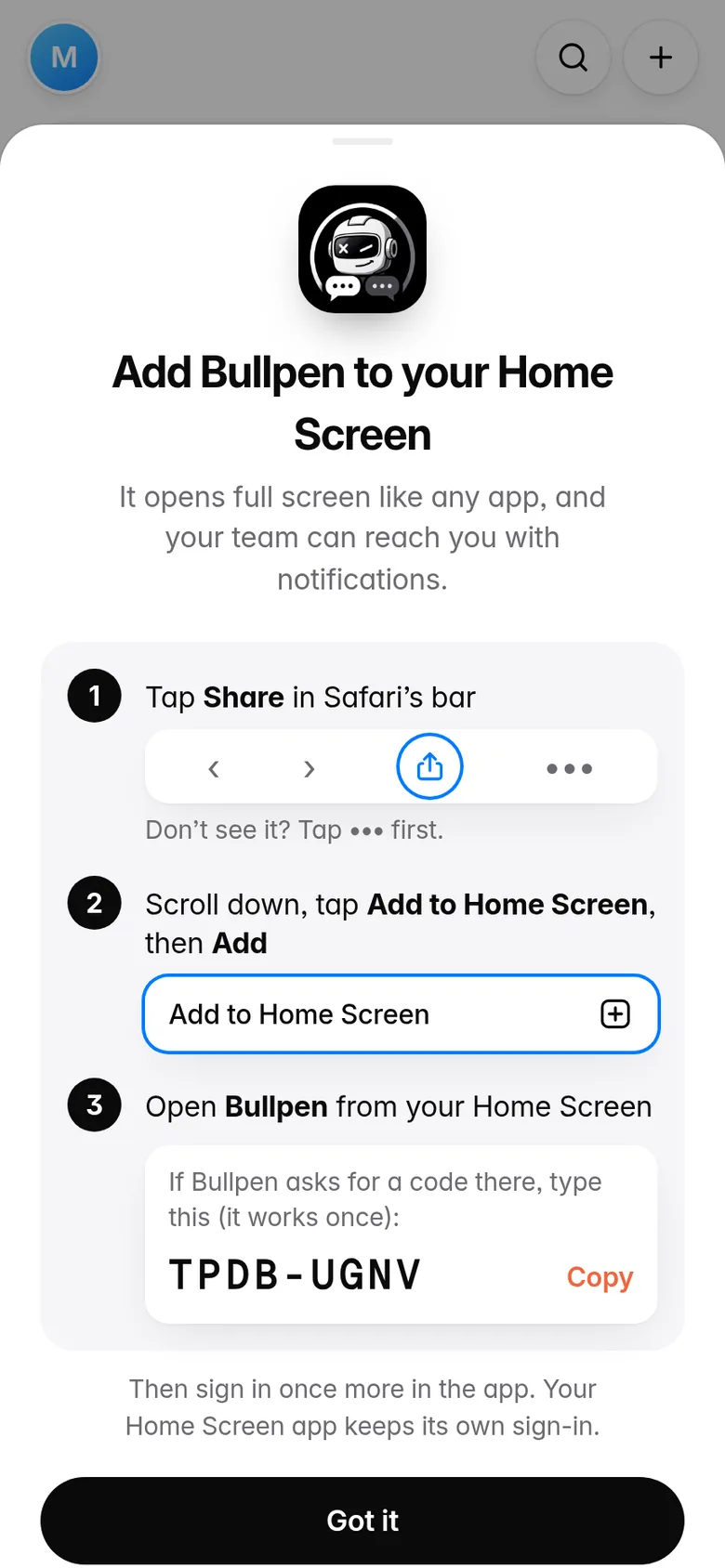
- Add it to your Home ScreenZOOGABOOG! shows you how. In Safari, tap Share (on newer iPhones it's under •••), then Add to Home Screen › Add. Open ZOOGABOOG! from your Home Screen and sign in. If it asks for a code, type the one ZOOGABOOG! showed you in Safari.
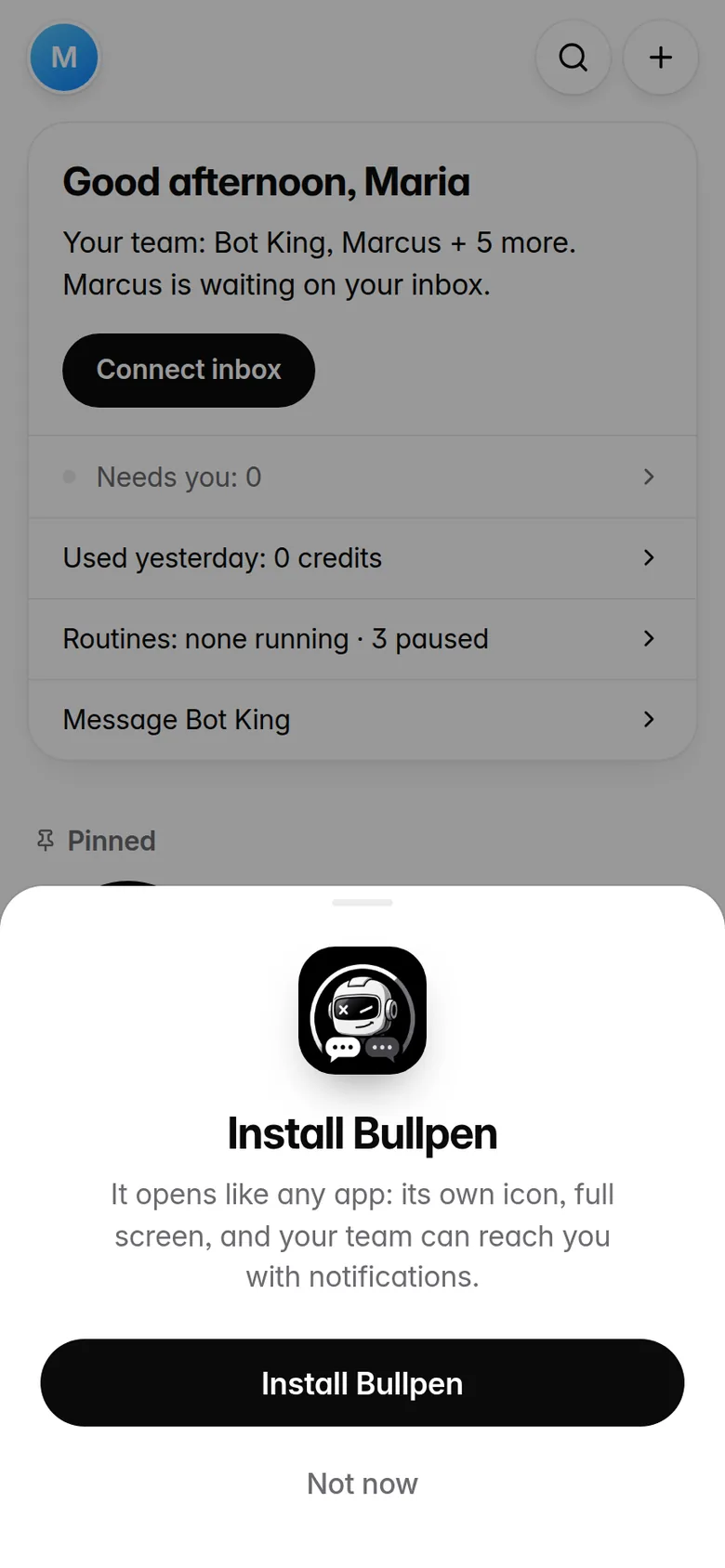
- Tap Install ZOOGABOOG! when askedZOOGABOOG! asks you right away. Tap Install ZOOGABOOG! › Install, then sign in. It becomes a real app with its own icon. No pop-up? In Chrome, tap ⋮ › Install app.
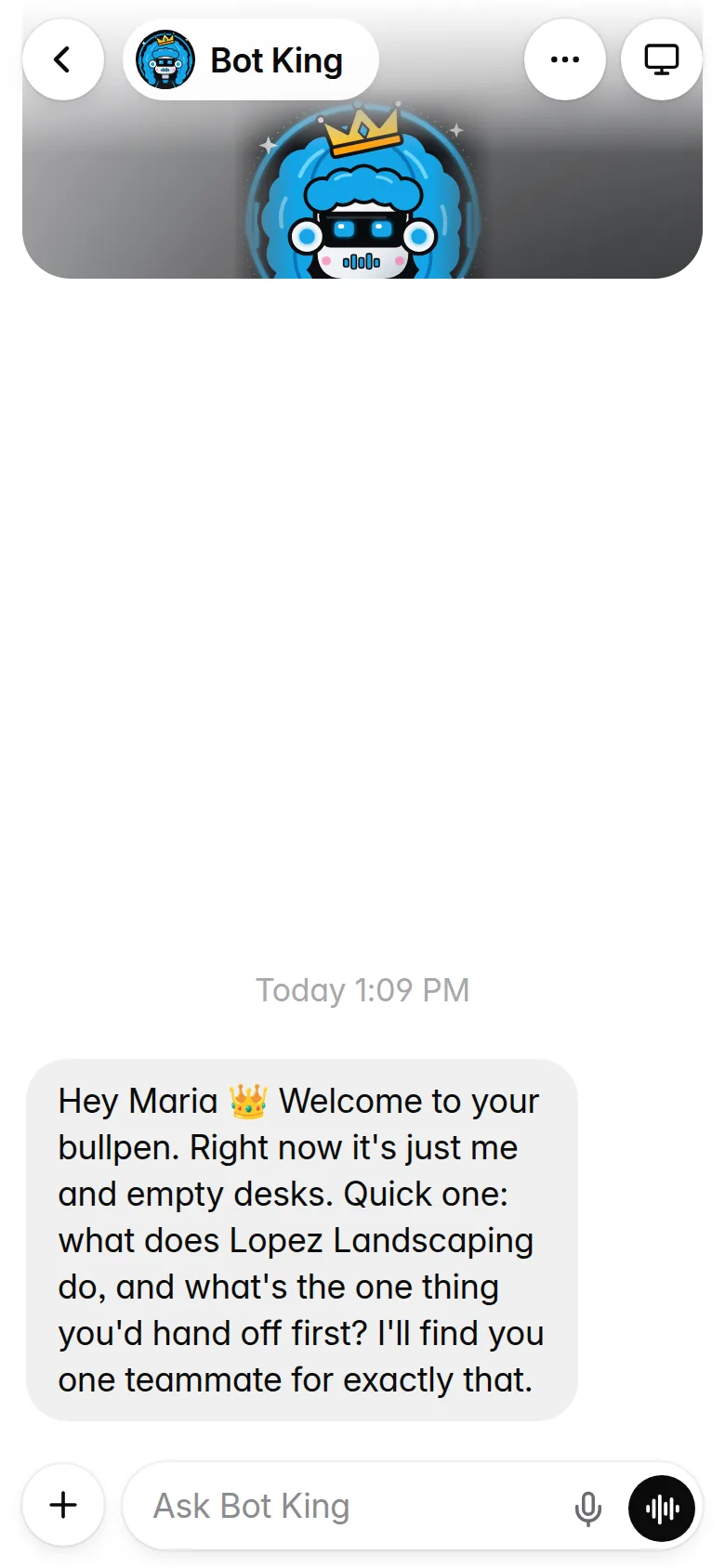
Your whole team. One tap away.
It opens full screen from your home screen, just like any app.
Chat, watch, take over
Text any teammate, or watch their computer and take over. Same chats as your PC.
Approve in one tap
Emails, spending, anything that matters waits for your OK.
Know when they need you
A ping on your phone when a teammate is stuck or done. From 9pm to 6am, alerts that can wait arrive as one summary.
Good to know
Why isn't it in the app store?
It doesn't need to be. You add ZOOGABOOG! from your PC in about a minute, and it updates itself. Your chats go between your phone and your PC, not through a store.
Does my PC have to be on?
Yes. Your team works on your PC, so leave it on and ZOOGABOOG! running. ZOOGABOOG! keeps the PC awake while it's open.
Does it work away from home?
Yes, on its own. It works anywhere your phone has signal: Wi-Fi, cellular, a hotel. There's nothing to set up on your router. Your PC just needs to be on with ZOOGABOOG! open.
Something not working?
Write to support@zoogaboog.com and a real person will help.